Your start page just got a lot more useful
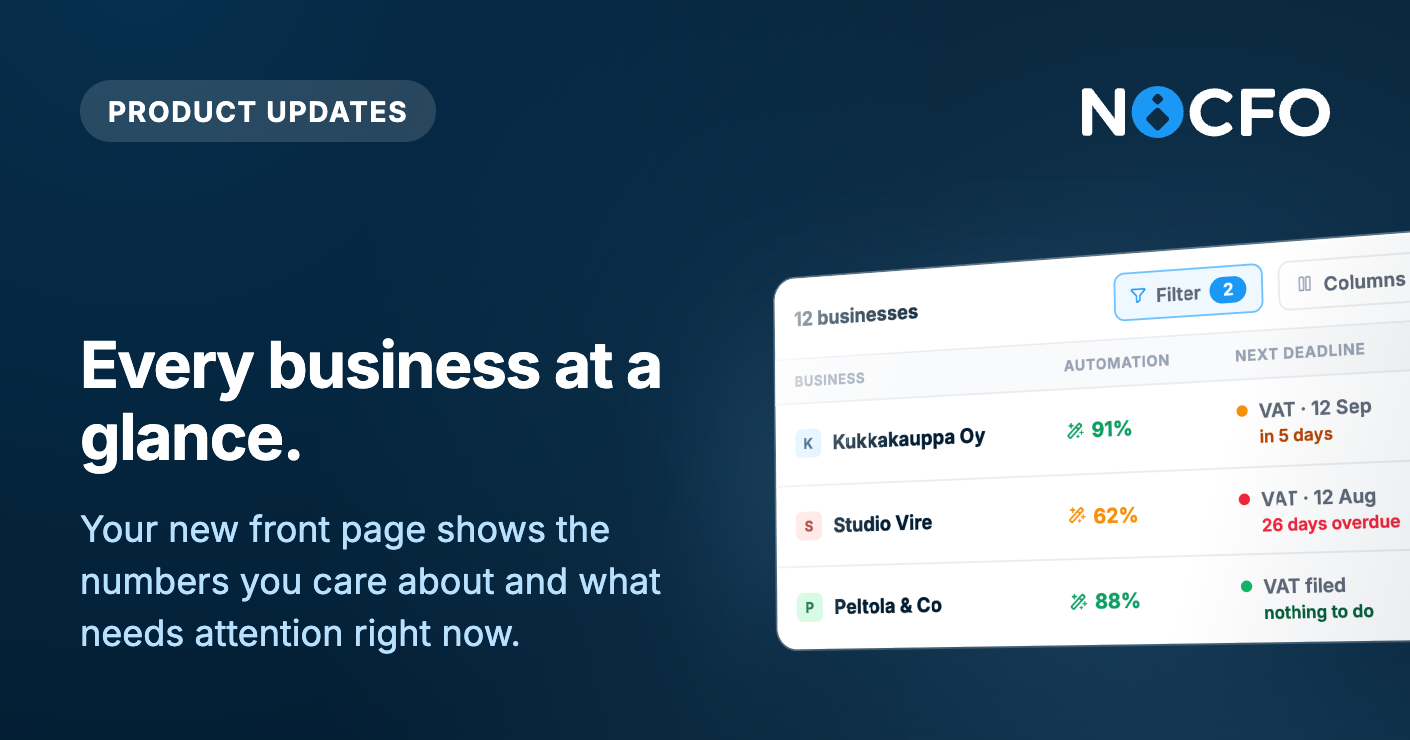
The page you land on after logging in used to show a simple grid of cards. It now shows a full table built to help you actually manage your businesses, not just pick one and move on.
A table that shows what matters
Every business gets its own row, and you choose what shows up in it. Columns are grouped into a few categories so you can pick what's relevant to you:
Recommended
Automation rate: how much of the bookkeeping in the last 30 days happened through rules
Next deadline: your closest upcoming VAT or reporting due date
Drafts, documents this month, and documents this accounting period
Invoicing
Sales and purchase invoices for the month
Unpaid and overdue invoice counts
Invoices sent to debt collection
Efficiency
Time saved, estimated from how fast you actually work in each business, not a made up average
Banking
Number of active bank connections, when they last synced, and which bank each business uses
Luca AI
How many documents Luca has created for that business
You can turn columns on or off and the choice is remembered for you, so the table looks the same every time you log back in. Every column can also be sorted, so you can quickly find, say, the businesses with the most overdue invoices or the lowest automation rate.
Filters that tell you what needs attention
On top of the table, you can filter your businesses down to the ones that need a look:
VAT due within 7 days
Automation below 70%
Has overdue invoices
Archived businesses (for accounting firms)
Each filter shows a live count, so you know how many businesses match before you even click into the list.
Also shipped this week
Notes on attachments. You can now add and edit free-text notes directly on your attachments on web.
Notification improvements. Comment notifications now show the actual comment content and which business it relates to, and mention notifications were fixed.
Plus many more bug fixes and small improvements!